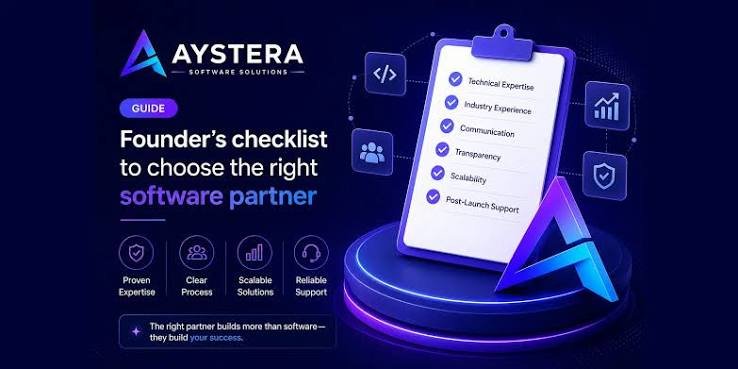
In today’s digital world, software plays an important role in both personal and professional life. From managing daily tasks and organizing personal finances to improving business productivity and team collaboration, the right software can make everyday activities easier, faster, and more efficient. However, with thousands of software applications available, choosing the best option for your specific needs can feel overwhelming.
Whether you are a student, freelancer, business owner, working professional, or someone looking to simplify daily routines, selecting the right software requires careful consideration. You need a solution that fits your goals, budget, technical skills, and long-term requirements.
In this guide, we will explore how to choose the right software for your personal and professional needs, the key factors to consider before making a decision, and practical tips to help you find tools that deliver real value.
Why Choosing the Right Software Matters
Software is more than just a digital tool. It can influence how efficiently you work, how well you manage your time, and how easily you achieve your goals. The right application helps reduce repetitive tasks, organize information, and improve productivity without adding unnecessary complexity.
For personal use, software can help you manage expenses, plan schedules, store important files, learn new skills, and maintain better organization. For professional purposes, it can support project management, communication, customer relationships, accounting, and business operations.
Choosing unsuitable software, on the other hand, can lead to wasted money, technical difficulties, security concerns, and unnecessary frustration. This is why it is important to understand your requirements before investing in any software solution.
1. Identify Your Personal and Professional Needs
The first step in choosing the right software is understanding what you want to accomplish. Instead of selecting an application simply because it is popular, focus on the specific problems you need to solve.
Start by asking yourself a few important questions:
- What task do I want to simplify or improve?
- Will I use the software for personal activities, professional work, or both?
- Do I need basic features or advanced functionality?
- Will I use it alone or collaborate with other people?
- What challenges do I currently face with my existing tools?
For example, if your primary goal is to organize daily activities, a simple calendar or task management application may be enough. However, if you manage several projects with multiple team members, you may need more advanced project management software.
Clearly identifying your needs helps you avoid unnecessary features and choose a solution that offers practical benefits.
2. Understand the Different Types of Software
Before comparing individual applications, it is helpful to understand the main categories of software available. Different tools are designed to solve different problems, so knowing which category fits your requirements can narrow your search.
Productivity and Task Management Software
Productivity software helps you organize tasks, manage deadlines, create documents, and keep track of daily responsibilities. These tools are useful for students, professionals, freelancers, and business owners.
Common examples include digital calendars, note-taking applications, document editors, and task management platforms.
Project Management Software
Project management tools help individuals and teams plan projects, assign responsibilities, monitor progress, and meet deadlines. They are particularly valuable for businesses that handle multiple projects or coordinate work across different departments.
When evaluating project management software, look for task assignment, progress tracking, deadline reminders, reporting, and collaboration features.
Accounting and Financial Management Software
Financial software helps you monitor income, track expenses, prepare budgets, manage invoices, and organize financial records. Individuals can use these tools to manage personal finances, while businesses can use them to simplify bookkeeping and financial reporting.
Choose a solution that matches your financial requirements and supports appropriate security measures for sensitive information.
Communication and Collaboration Software
Communication tools make it easier to exchange messages, conduct virtual meetings, share documents, and work with colleagues remotely. These applications are especially useful for remote teams and businesses with employees in different locations.
Consider ease of use, meeting quality, file-sharing capabilities, integration options, and administrative controls before selecting a platform.
Security and Data Management Software
Security software helps protect devices, accounts, and information from potential threats. Depending on your needs, this category may include antivirus applications, password managers, backup solutions, and access management tools.
For professional environments, data protection and access control should be essential considerations rather than optional features.
3. Set a Realistic Software Budget
Cost is one of the most important factors when choosing software. Some applications are available for free, while others require monthly subscriptions, annual payments, or one-time purchases.
However, the cheapest option is not always the most affordable in the long run. Software with limited functionality may require additional tools, while an expensive platform may include features you never use.
Before making a purchase, compare the total cost of ownership, including:
- Subscription or licensing fees.
- Additional user or team member charges.
- Setup and implementation costs.
- Training and onboarding expenses.
- Premium features and third-party integrations.
- Maintenance, support, and future upgrades.
Many software providers offer free plans or trial periods. Take advantage of these opportunities to test essential features before committing to a paid subscription.
For personal use, a free or low-cost application may be sufficient. Businesses with more complex requirements may benefit from paid software that offers advanced functionality, reliable support, and stronger administrative controls.
4. Check the Software’s Features and Functionality
Features are a major consideration when comparing software options. However, choosing a product with the largest number of features does not necessarily mean it is the best choice.
The goal is to find software that provides the functionality you actually need without making everyday tasks unnecessarily complicated.
Create a list of essential features before comparing products. Separate them into two groups: must-have features and nice-to-have features.
For example, someone looking for project management software might consider task assignment, deadline tracking, and progress reports essential. Automated workflows and advanced analytics might be useful additions but not immediate priorities.
Also, consider whether the software can support your future needs. A scalable solution can accommodate additional users, more projects, or changing workflows without requiring you to switch platforms too soon.
5. Evaluate Ease of Use and User Experience
Even powerful software can become a burden if it is difficult to understand or operate. A user-friendly interface helps you complete tasks efficiently and reduces the time required to learn new features.
Before choosing software, explore its dashboard, navigation, settings, and common workflows. Determine whether you can perform everyday tasks without repeatedly consulting instructions.
Look for the following usability factors:
- A clean and intuitive interface.
- Easy navigation and clear menus.
- Helpful tutorials and documentation.
- Accessible customer support.
- Compatibility with your technical skill level.
- Mobile accessibility, if you need to work on the go.
If several people will use the software, consider their technical experience as well. A solution that works well for one experienced user may be difficult for an entire team to adopt.
Choosing easy-to-use software can improve adoption, save time, and make the transition from existing tools much smoother.
6. Prioritize Security and Data Privacy
Security should be a major consideration whenever software handles personal information, business documents, financial records, or customer data.
Before selecting a platform, review its security features and privacy policies. Check whether it provides encryption, secure authentication, access controls, backup options, and appropriate account recovery procedures.
For professional use, it is also important to understand how the provider stores, processes, and shares your information. Businesses should evaluate whether the software supports their legal, regulatory, and contractual obligations.
Consider these security questions:
- Does the software offer multi-factor authentication?
- Can you control who accesses sensitive information?
- Are data backup and recovery options available?
- Does the provider explain how personal data is used?
- Can you export or permanently delete your data when necessary?
- Does the provider offer appropriate security documentation and support?
Avoid choosing software solely because it is inexpensive or convenient. Protecting your information is essential for maintaining privacy, reducing risk, and building trust.
7. Check Compatibility With Your Existing Tools
Modern users often rely on several applications throughout the day. You might use email, cloud storage, spreadsheets, calendars, accounting software, and communication platforms simultaneously.
If your new software cannot work effectively with your existing tools, you may end up spending more time transferring information manually.
Before making a decision, check whether the application supports the devices, operating systems, and services you already use.
Important compatibility factors include:
- Windows, macOS, Linux, Android, or iOS support, where relevant.
- Cloud storage and file-sharing integrations.
- Email and calendar synchronization.
- Data import and export options.
- Integration with other business applications.
- API access or automation support when required.
For example, a professional who regularly works with spreadsheets may benefit from project management software that allows easy data import and export.
Good integration reduces repetitive work, minimizes errors, and creates a more connected digital workflow.
8. Compare Cloud-Based and Desktop Software
Another important decision is whether to choose cloud-based software or a desktop application.
Cloud-based software generally runs through a web browser or connected application, with much of the data and processing managed through online services. Desktop software is installed directly on a computer and may offer more functionality without a continuous internet connection.
Both options have advantages, and the right choice depends on your working style.
Cloud-Based Software
Cloud-based applications are useful for people who need access to their work from multiple devices or locations. They often support automatic updates, online collaboration, and centralized data management.
However, some services depend heavily on internet connectivity and may involve recurring subscription costs.
Desktop Software
Desktop applications can offer strong performance for specialized tasks, greater control over local files, and offline functionality. They may be suitable for users who prefer working directly on their computers.
However, installation, updates, backups, and collaboration may require additional effort, depending on the application.
Before deciding, consider how often you work offline, how you share files, and whether you need access to your information across multiple devices.
9. Read Reviews and Compare Software Options
Software descriptions often emphasize benefits, but independent reviews can provide a more realistic understanding of everyday performance.
Reading user feedback helps you identify recurring problems, limitations, customer support issues, and features that may not be immediately obvious.
Look for reviews from people or organizations with needs similar to yours. A tool that works well for a large enterprise may not be the most practical choice for a freelancer or small business.
When comparing software, pay attention to:
- Overall user satisfaction.
- Reliability and performance.
- Frequency of updates.
- Quality of customer support.
- Common complaints and limitations.
- Pricing changes and subscription conditions.
- Availability of tutorials and learning resources.
Do not rely entirely on star ratings or promotional testimonials. Read a range of recent reviews and look for consistent patterns.
You can also compare two or three shortlisted applications side by side to understand which one offers the best balance of features, usability, security, and cost.
10. Test the Software Before Making a Final Decision
One of the most effective ways to choose the right software is to try it yourself.
Many software providers offer free trials, limited free versions, or interactive demonstrations. These options allow you to test whether the application meets your expectations before making a financial commitment.
During the trial period, use the software for realistic tasks rather than simply exploring its interface.
For example, if you are evaluating accounting software, try recording expenses, creating an invoice, generating a report, and exporting your data. If you are considering a project management tool, create a sample project, assign tasks, set deadlines, and review its reporting features.
Evaluate the experience based on the following questions:
- Does the software solve the problem I originally identified?
- Can I complete important tasks quickly?
- Are the essential features easy to access?
- Does it work reliably with my existing tools?
- Is the pricing reasonable for the value provided?
- Would I feel comfortable using it regularly?
Testing software in real-world conditions helps you make a more confident and informed decision.
11. Consider Scalability and Long-Term Support
Your software needs may change as your career, personal responsibilities, or business grows. A solution that works today may become restrictive if it cannot support new requirements.
For professional users, scalability may involve adding employees, increasing storage capacity, automating workflows, or managing more complex projects.
For personal users, it might mean supporting additional devices, organizing larger amounts of information, or accessing advanced features as needs evolve.
You should also consider the provider’s long-term reliability. Check whether the software receives regular updates, maintains useful documentation, and offers dependable technical support.
Before committing, review the provider’s data export options and migration process. Being able to move your information to another platform can prevent unnecessary disruption if your requirements change in the future.
12. Avoid Common Mistakes When Choosing Software
Even after comparing several applications, it is easy to make a decision that creates problems later. Understanding common mistakes can help you avoid unnecessary expenses and frustration.
Choosing Software Based Only on Price
A low-cost application may lack essential features, security controls, or customer support. Compare overall value rather than focusing exclusively on the initial price.
Paying for Unnecessary Features
Advanced features can be attractive, but they may not justify the cost if you rarely use them. Prioritize the functions that directly support your goals.
Ignoring Security Requirements
Overlooking privacy policies, access controls, and data protection can expose personal or professional information to unnecessary risks.
Skipping the Trial Period
Buying software without testing it may lead to compatibility problems or a frustrating user experience. Whenever possible, test the product before purchasing it.
Overlooking Future Needs
Selecting a tool that cannot grow with your requirements may force you to switch platforms sooner than expected.
Using Too Many Applications
More software does not always mean greater productivity. Using multiple overlapping tools can create confusion, duplicate information, and increase costs. Choose a practical set of applications that work well together.
Best Practices for Choosing Software Successfully
To simplify the decision-making process, follow a consistent approach whenever you need a new software application.
- Define the problem you want to solve.
- Identify your essential features and requirements.
- Set a realistic budget.
- Research and shortlist suitable options.
- Compare usability, security, compatibility, and support.
- Read recent reviews from relevant users.
- Test shortlisted applications using real tasks.
- Review the total cost and long-term value.
- Select the option that best meets your needs.
- Reassess the software periodically as your requirements change.
This process helps you focus on practical value instead of being influenced by trends, marketing claims, or unnecessary features.
Conclusion
Choosing the right software for your personal and professional needs is an important step toward improving productivity, organization, and efficiency. The best solution is not necessarily the most expensive application or the one with the largest number of features. It is the software that solves your problems, fits your budget, protects your information, and supports the way you work.
Start by identifying your priorities, comparing relevant options, and evaluating factors such as usability, security, compatibility, scalability, and customer support. Take advantage of free trials and demonstrations to see how each application performs in real situations.
Whether you need software for personal finance, task management, business operations, communication, or data security, a thoughtful selection process can help you make a better investment.
Ultimately, the right software should simplify your work rather than complicate it. By choosing tools that align with your goals and adapting them as your needs evolve, you can build a more productive, organized, and efficient digital environment.
Frequently Asked Questions (FAQs)
1. How do I choose the right software for my needs?
Start by identifying your goals, essential features, and budget. Compare suitable applications based on usability, security, compatibility, customer support, and long-term value. Test the shortlisted options before making a final decision.
2. What factors should I consider when buying software?
Important factors include price, features, ease of use, data security, compatibility, scalability, integration capabilities, customer reviews, and technical support.
3. Is free software a good choice for personal and professional use?
Free software can be an excellent option if it provides the features you need and offers appropriate security and reliability. However, businesses with advanced requirements may benefit from paid plans that provide additional functionality, administrative controls, or dedicated support.
4. Why is software security important?
Software security helps protect sensitive information from unauthorized access, data loss, and other potential threats. It is especially important when applications handle financial records, personal information, business documents, or customer data.
5. Should I choose cloud-based or desktop software?
Choose cloud-based software if you need convenient access across devices and online collaboration. Desktop software may be preferable if you need offline functionality, specialized local processing, or greater control over files stored on your computer.
6. How can I tell whether software is worth the cost?
Evaluate how much time it saves, which problems it solves, how reliably it performs, and whether its features justify the total cost. A free trial can help you determine whether the benefits outweigh the expense.
7. How often should I review my software choices?
Review your software whenever your requirements change, costs increase, security concerns arise, or the application no longer supports your workflow effectively. A periodic review can help ensure that your tools continue to provide value.