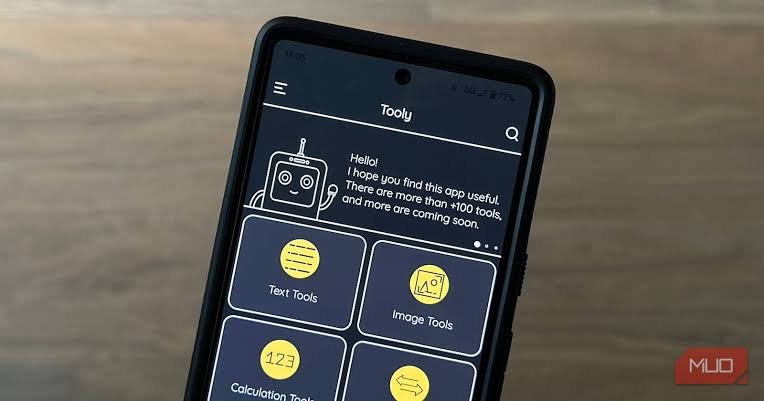
Technology has become a major part of everyday life. From communicating with friends to managing work, shopping, banking, entertainment, and personal tasks, people now depend on their smartphones for many different activities. However, smartphones are not only useful for social media or entertainment. They can also help users solve small but important problems through utility apps.
Utility apps are designed to make everyday tasks faster, easier, and more convenient. Whether you need to scan a document, manage your files, check your internet speed, transfer data, calculate something, or free up storage space, there is likely a utility app that can help. These apps may not always receive as much attention as social networking or gaming applications, but they can be extremely useful in daily life.
What Are Utility Apps?
Utility apps are software applications created to perform specific practical functions on a smartphone, tablet, or computer. Unlike entertainment apps, their primary purpose is usually to help users complete a task or solve a particular problem.
For example, a calculator app helps with calculations, a file manager organizes documents and folders, while a flashlight app can turn a smartphone into a light source. Other utility apps can help users monitor battery usage, clean unnecessary files, scan documents, create notes, manage passwords, or measure internet speed.
One of the biggest advantages of utility apps is their simplicity. Most of them are built around one main purpose, which means users can usually understand and use them without spending a lot of time learning complicated features.
Why Are Utility Apps Important?
Modern life can be busy, and even small tasks can take valuable time. Utility apps help reduce the effort required to complete many routine activities.
For instance, instead of carrying a separate calculator, flashlight, scanner, or measuring tool, you can use your smartphone for several of these functions. This makes your phone more than just a communication device.
Utility apps can also improve productivity. A good file management app can help you find documents quickly, while a note-taking application can keep important information organized. Similarly, a storage management tool can show which files are taking up the most space on your device.
The real value of these apps comes from convenience. They put useful tools in one place and make them available whenever you need them.
Common Types of Utility Apps
There are many different categories of utility apps, and each one serves a different purpose. Some of the most common types include the following.
1. File Management Apps
File management apps help users organize files stored on their devices. They can be useful for finding documents, images, videos, downloads, and other types of content.
Depending on the application, users may be able to move, rename, copy, delete, or share files. Some file managers also provide tools for sorting files by type, size, or date.
These apps can be particularly helpful for people who regularly download documents or transfer files between different devices.
2. Storage and Cleaning Apps
Smartphones can quickly run out of storage because of photos, videos, downloads, temporary files, and unused applications. Storage utility apps can help users understand how their storage is being used.
Some apps identify large files or duplicate content so users can decide what they want to remove. However, users should be careful with cleaning applications and only give permissions that are genuinely necessary.
Keeping a device organized can improve the overall user experience and make it easier to find important files.
3. Security and Privacy Apps
Security is another important area where utility apps can be useful. Password managers, authentication tools, privacy utilities, and security scanners can help users protect their information.
A password manager, for example, can store strong passwords securely, while an authentication app can generate verification codes for online accounts.
When choosing a security-related utility app, users should pay close attention to its developer, permissions, privacy policy, and reputation. Convenience should never come at the expense of personal security.
4. Document and Scanner Apps
People often need to turn physical documents into digital files. Document scanner apps can make this process much easier.
Using a smartphone camera, these apps can capture receipts, forms, notes, contracts, and other documents. Many can automatically detect the edges of a page and improve the image so the final document looks clearer.
Some applications can also convert scanned documents into PDF files or use optical character recognition to make text searchable.
5. Battery and Device Monitoring Apps
Battery-related utility apps can provide information about how a device is being used. They may show battery percentage, charging status, power consumption, or which applications are using the most energy.
Device monitoring tools can also provide information about storage, memory, processor usage, and other system details.
This information can help users understand their device better and identify applications or activities that may be consuming excessive resources.
Benefits of Using Utility Apps
Utility apps offer several practical benefits. The first is convenience. A smartphone can replace many individual tools that people might otherwise need to carry or access separately.
Another benefit is time savings. Instead of searching for a computer or specialized device, users can often complete a simple task directly from their phone.
Utility apps can also improve organization. File managers, note-taking tools, calendar utilities, and document applications can help keep information in one accessible location.
There is also a productivity advantage. When routine tasks become easier, users can spend more time focusing on work, studies, or other important activities.
However, installing more apps does not automatically make a device better. The goal should be to choose useful applications that genuinely solve problems rather than filling the phone with unnecessary software.
How to Choose the Right Utility App
With thousands of applications available, choosing the right utility app can sometimes be difficult. A few simple checks can make the decision easier.
First, consider the app’s purpose. Make sure it actually provides the function you need. Avoid downloading an application simply because it has a large number of features.
Next, check user reviews and ratings. Reviews can provide useful information about performance, advertisements, reliability, and common problems.
Permissions are also important. If a simple calculator app asks for access to contacts, messages, or other unrelated information, that should raise a concern.
It is also worth checking when the app was last updated. Regular updates can indicate that the developer is maintaining the application and addressing bugs or security issues.
Finally, consider whether you really need the app. Many smartphones already include built-in tools for basic functions such as calculations, file management, screenshots, scanning, and device maintenance.
Are Utility Apps Safe to Use?
Utility apps can be safe, but not every application is trustworthy. Some apps may collect unnecessary personal information, display excessive advertisements, or request permissions that are unrelated to their main function.
The safest approach is to download applications from reputable app stores and check the developer information before installing them. Users should also review permissions and avoid giving an app access to information it does not need.
Keeping your operating system and applications updated is another important step. Updates can include bug fixes, performance improvements, and security patches.
It is also a good idea to remove utility apps that you no longer use. Unused applications can take up storage and may continue to have permissions or run background processes.
Utility Apps and the Future of Smartphones
As smartphones become more advanced, utility apps are likely to become even more capable. Features powered by artificial intelligence, automation, cloud storage, and improved device hardware are already changing how many everyday tasks are completed.
For example, future utility applications may be able to organize files more intelligently, identify important documents automatically, manage device resources more efficiently, or help users complete routine tasks with fewer steps.
At the same time, privacy and security will become increasingly important. As utility apps gain access to more information and device functions, developers will need to provide clear privacy controls and responsible data practices.
For users, the best approach will be to focus on applications that provide genuine value while respecting personal information.
Frequently Asked Questions
1. What are utility apps?
Utility apps are applications designed to perform practical tasks and help users manage everyday activities. Examples include file managers, calculators, document scanners, storage tools, password managers, and battery monitoring apps.
2. What is the main purpose of utility apps?
The main purpose of utility apps is to make specific tasks easier, faster, or more convenient. They are generally focused on functionality rather than entertainment or social interaction.
3. Are utility apps free?
Many utility apps are available for free, but some offer premium features through subscriptions or one-time purchases. Free apps may also contain advertisements or have limitations compared with their paid versions.
4. Are utility apps safe?
Utility apps can be safe when downloaded from trusted sources and developed by reputable companies or developers. Users should review permissions, privacy information, ratings, and recent reviews before installing an unfamiliar application.
5. Can utility apps improve smartphone performance?
Some utility apps can help users identify storage problems, manage files, or understand which applications are using system resources. However, not every cleaning or performance app actually improves performance, so users should choose such tools carefully.
6. Which utility apps are most useful?
The most useful utility apps depend on individual needs. File managers, document scanners, password managers, note-taking tools, calculators, storage analyzers, and device monitoring applications can all be useful in different situations.
7. Do utility apps use a lot of storage?
Most basic utility apps are relatively small, although their size varies. Some applications may also store temporary files or downloaded content. Checking an app’s storage usage from your device settings can help you manage space.
8. Should I install multiple utility apps for the same task?
Usually, there is little reason to install several apps that perform exactly the same function. Choosing one reliable application can reduce clutter, save storage, and make your device easier to manage.
Final Thoughts
Utility apps may not be the most exciting applications on a smartphone, but they can make everyday life much easier. From managing files and scanning documents to monitoring storage, protecting accounts, and completing simple calculations, these apps can turn a smartphone into a practical toolbox.
The key is to choose utility apps carefully. A useful application should solve a real problem, be easy to use, receive regular updates, and request only the permissions it genuinely needs.
Instead of downloading dozens of applications, users can focus on a small collection of reliable tools that support their daily routines. When chosen wisely, utility apps can save time, improve organization, and make smartphones more useful in everyday situations.